Building AI products means managing API costs. Here's what actually worked
A practical guide to making LLM costs debuggable in production: how to log tokens at the right granularity, understand prompt caching behavior, and identify the real drivers behind cost spikes.
Once an LLM feature is in production, cost becomes a constraint like any other. The real challenge is to track and understand the cost breakdown precisely.
Most observability setups treat LLM calls as a black box: request in, response out, total tokens logged. This is enough for monitoring, but not for cost optimization. When usage doubles after a release, you need to know whether it's a prompt change, a caching regression, or a shift in user behavior.
This article covers how I structured token logging to make LLM costs debuggable and what patterns became visible once you get the data.
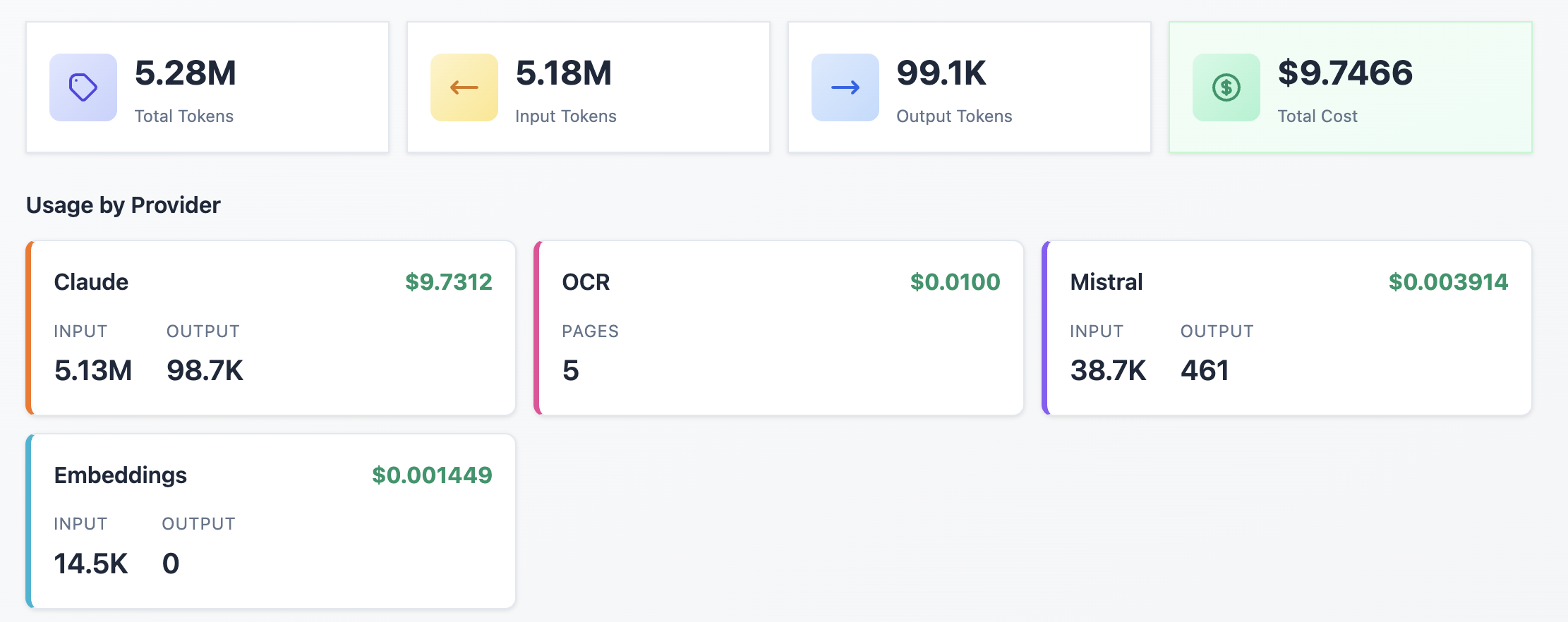
Tracking LLM Costs at the Right Granularity
In an LLM system, I used to log token usage as a single aggregate number. This works until I need to debug a cost spike or evaluate whether my caching strategy is effective.
Claude's pricing has four distinct components:
- Input tokens – prompt and context sent to the model
- Output tokens – generated response (priced 3-5x higher than input)
- Cache write tokens – content written to cache (1.25x input rate)
- Cache read tokens – cache hits (0.1x input rate)
Logging these separately is the difference between "costs increased" and "cache read ratio dropped from 80% to 12% after the last deployment."
How prompt caching actually works
Claude's prompt caching stores the processed representation of your input tokens. On subsequent requests, if the prefix of your prompt matches cached content, the cache read rate (0.1x) is used instead of the usual input rate.
Key constraints:
- Prefix matching only. The cache matches from the start of your prompt. If your system prompt is identical but the user context differs, only the system prompt portion hits the cache. This is why stable content (system prompts, document context) should come first.
- Minimum size. Cached content must exceed 1,024 tokens (4096 for Opus 4.5). Shorter prompts don't qualify. If your system prompt is 800 tokens, caching won't apply.
- TTL is 5 minutes. Cache entries expire after 5 minutes of inactivity.
How to track the token consumption in your application
Logging structure pseudo code:
log_usage(
	user_id,
	provider,           # claude, mistral, ...
	model,              # sonnet, mistral-ocr, ...
	input_tokens,
	output_tokens,
	cache_write_tokens,
	cache_read_tokens,
	endpoint,           # feature or route that triggered the call
	timestamp
)
The endpoint field matters. A validation endpoint and a summarization endpoint have different token profiles. Aggregating them hides the signal.
What this data reveals:
- Cache effectiveness. If cache writes are high but reads stay low, the cache isn't being reused. Check prompt ordering (system prompt, tool definition, …), request frequency, and whether the cacheable prefix meets the minimum size.
- Output token growth. Output tokens are the most expensive component. A prompt change that increases average output from 500 to 1,200 tokens has direct cost implications. Without per-call logging, this shows up as a billing surprise, not a debuggable event.
Trade-offs
This approach adds a database write per LLM call. For high-throughput systems, batch inserts or async logging may be necessary. However, the storage cost is negligible compared to the LLM spend it helps you understand.
Conclusion
LLM costs become a problem only when they’re invisible. Aggregated token counts hide the real drivers: caching misses, output growth, and endpoint-specific behavior.
Adding a basic dashboard filtering by user, provider, model, and endpoints is the best way to stay master and commander of your token consumption.